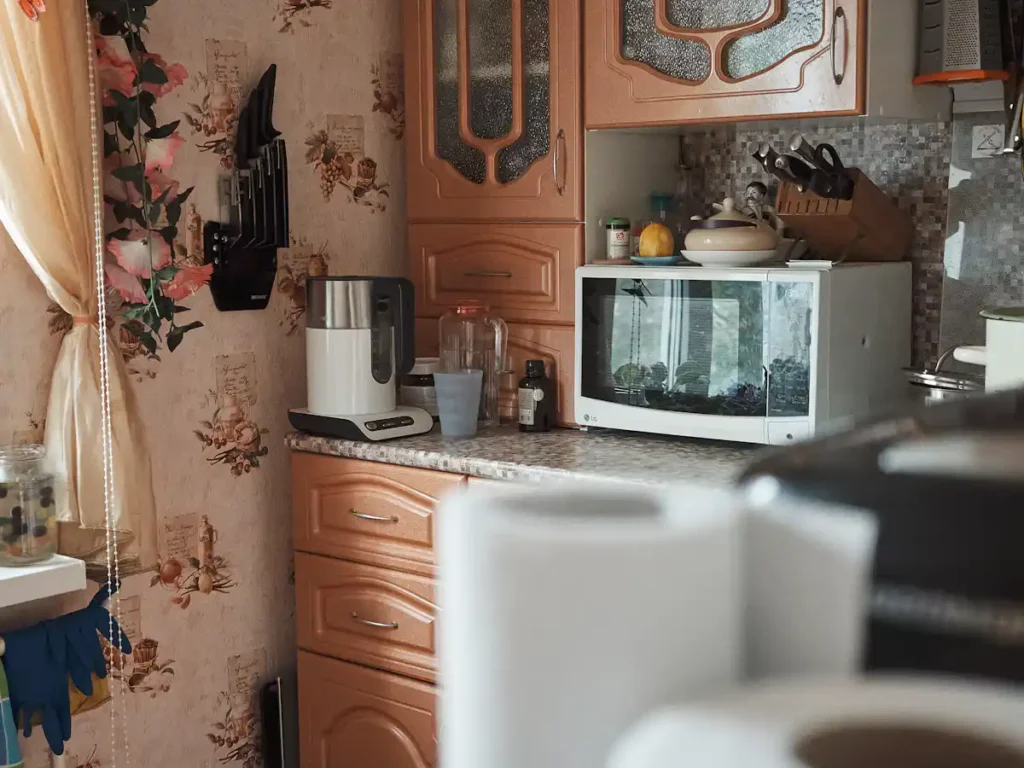
Everything about the microwave looks like it is working but it is not heating. A microwave does two separate jobs, and it seems that only one of them has failed.
Here is what is actually happening, what you can safely check in five minutes, where that list ends, and the honest answer to the question most manufacturer blogs skip: whether this repair is worth paying for at all.
If It Runs but Does Not Heat, the Problem Is Almost Never the Power
Inside every microwave there are two electrical systems, and they have almost nothing to do with each other.
The first one is the low-voltage side. It powers the display, the interior light, the turntable motor and the cooling fan. It runs on ordinary household current, and when you see those things working, you have confirmed that the microwave is getting power and that its control board is awake.
The second one is the high-voltage side. A transformer steps the incoming voltage up dramatically, a capacitor and diode condition it, and a component called the magnetron converts it into the microwave energy that heats your food. That is the side that produces heat, and it is entirely separate from everything you can see working.
So when your microwave runs but does not heat, you have already narrowed the problem considerably. The outlet is fine. The breaker is fine. The control board is awake. Something on the high-voltage side has stopped doing its job, and that is a different conversation than “my microwave is dead.”
Stop: What You Must Never Do Inside a Microwave
Before the troubleshooting, the part that matters more than the troubleshooting.
Why the capacitor is dangerous even when unplugged
That high-voltage capacitor we just mentioned stores electrical energy. Unplugging the microwave cuts the supply, but it does not empty the capacitor. It can hold a charge long after the cord is out of the wall, and that charge is in a range that can seriously injure or kill a person who touches the wrong terminal.
This is not the usual boilerplate warning that every appliance article carries. A dishwasher or a dryer becomes safe the moment you unplug it. A microwave does not. A technician who services one discharges that capacitor deliberately, with an insulated tool, before touching anything else inside the cabinet.
There is a second reason to leave the cabinet closed. Microwave ovens are regulated by the U.S. Food and Drug Administration for radiation safety, and the shielding, the door seal and the interlock system are what keep microwave energy inside the box. Those parts are not meant to be adjusted at home.
The line between a safe check and a technician job
The rule is simple enough to remember without a diagram. If you can do it without removing the outer metal cabinet, it is safe. If it requires taking the cabinet off, it is not.
- Safe: changing settings, checking the outlet, inspecting the door and the latch from the outside, running a water test, doing a hard reset, cleaning the interior.
- Not safe, at any experience level: removing the cover to test, measure or replace anything inside.
That is also why there is no DIY magnetron replacement in this article. Magnetrons are sold online and the videos exist, but replacing one requires working inches from a charged capacitor, and the part itself is often more than half the price of a new unit.
The Five-Minute Checks Worth Doing First
A good share of the “not heating” calls we take turn out to be one of these, and all four are things you can do right now.
Power level, Demo Mode and Control Lock
Microwaves run at reduced power by cycling the magnetron on and off. If the power level got set to 1 or 2, your food will warm barely at all, and everything will look normal while it happens. Press the power level button and set it back to high, then try again.
Then check for Demo Mode, sometimes labeled Showroom Mode. It exists so retailers can display a running microwave on the sales floor without it actually cooking, and it gets switched on accidentally more often than you would think. The display runs, the turntable turns, nothing heats. Your manual will tell you the key sequence to exit it, and it is usually something like holding a number key for several seconds.
Control Lock is worth ruling out at the same time. It usually shows a small padlock icon and blocks the keypad rather than the heating, but if your microwave is behaving oddly in general, clear it.
The door latch and the three door switches
A microwave will not produce heat unless it is certain the door is closed. Most models use a set of interlock switches that the latch hooks press when the door shuts, and if the system is not satisfied, the oven runs its fan and light but never fires the magnetron.
What you can check from outside: that the door closes squarely, that the latch hooks are not cracked or bent, that nothing is caught in the seal, and that the door does not sit loose or droop at the hinge. Open and close it firmly a few times and listen for the clicks.
What you cannot check: the switches themselves. They sit behind the control panel, within reach of the capacitor.
Outlet, breaker and a hard reset
Unplug the microwave for two full minutes, then plug it back in. Control boards can lock into a fault state, and a true power-down clears it in a way that simply opening the door does not.
While the cord is out, plug something else into that outlet to confirm it is live, and check whether the outlet is a GFCI that has tripped. Over-the-range microwaves usually sit on their own circuit, and in Central Florida homes built after 2000 that circuit is often shared with nothing else, so a tripped breaker usually means something else went wrong first.
The one-minute cup of water test
This is the test that turns a guess into a fact, and technicians use a version of it every day.
Fill a microwave-safe cup with about one cup of room-temperature water. Run it on high for one minute. Then carefully check the water. If it is noticeably hot, your microwave is heating and the problem is something else, such as a setting, uneven heating or a worn turntable. If it is barely warmer than when it went in, you have confirmed a genuine heating failure.
Two cautions: never run a microwave empty, and use a container rated for microwave use. If you have already run the oven several times trying to make it work, let it cool before testing.
What Is Actually Broken: The Four Internal Failures
If the water test came back cold, one of these four is almost certainly the reason. None of them is a home repair, but knowing what you are dealing with makes the service call conversation a lot shorter.
1. Magnetron — the part that makes the heat
The magnetron is the component that generates the microwave energy. When it fails, everything else continues to work normally and the food stays cold, which is exactly the symptom that brought you here.
A failing magnetron sometimes announces itself first with a loud hum or a burning smell during operation. It is the most common cause of a true no-heat fault, and also the most expensive part in the oven.
2. High-voltage diode and capacitor
These two feed the magnetron. A shorted diode is a frequent failure and produces the same cold-food symptom, often with a loud buzzing noise.
The good news is that a diode is an inexpensive part. The bad news is that diagnosing it correctly means getting inside the cabinet, which is the one place you should not go.
3. Door interlock switch
If one of the interlock switches has failed, the oven behaves exactly as if the door were open: it runs but refuses to heat. In other failure patterns the same system blows the main fuse instead and the microwave goes completely dead.
Either way, the fix is a switch, not a magnetron, and it is one of the cheaper repairs on this list.
4. Thermal fuse or thermoprotector
Microwaves carry thermal protection that cuts power if the unit overheats. These trip for a reason, usually restricted ventilation or a cooling fan that is struggling.
Replacing a tripped thermal fuse without finding out why it tripped simply means it will trip again, which is why a proper diagnosis looks at the airflow as well as the part.
Over-the-Range vs. Countertop: Why It Changes the Answer
Most Central Florida kitchens built in the last twenty-five years came with an over-the-range microwave, and that single fact changes the economics of this repair completely.
A countertop microwave is a plug-in appliance. Replacing it takes about as long as carrying the old one to the curb, and at the low end of the market a new one costs less than a diagnostic plus a magnetron. For most countertop units, replacement is simply the rational choice, and we will tell you so.
An over-the-range unit is a different animal. It is mounted to the wall and the cabinet above it, connected to a dedicated circuit, and either vented outside through ducting or recirculating through a charcoal filter.
Replacing one is an installation job that needs two people, and the new unit has to match the cabinet opening and the existing venting arrangement. That is why a repair that would be uneconomical on a countertop model often makes complete sense on an over-the-range one.
There is also the kitchen to consider. An over-the-range microwave doubles as your range hood. When it goes, you lose the vent and the light over your cooktop at the same time, which is why these repairs tend to be more urgent than the appliance itself suggests.
Is It Worth Repairing? The Honest Math
Here is how we think about it, and we will walk through it with you on the visit rather than hand you a number.
Start with the warranty. If your microwave is still covered by the manufacturer, call them first. It should cost you nothing, and we will tell you that on the phone before we send anyone out.
After that, the question is what failed and what kind of unit it is. A door switch, a diode or a thermal fuse is an inexpensive part, and on any unit that is otherwise sound, that repair is worth doing. A magnetron is where the math gets uncomfortable: on a countertop microwave it will usually approach or exceed the price of a replacement, and on an over-the-range unit it often still wins once you factor in installation.
Age matters too. Microwaves generally run eight to ten years. A magnetron on a nine-year-old unit buys you time on an appliance that has other components reaching the end of their service life at the same time.
We would rather tell you honestly that a repair is not worth it and lose that job than take your money for something that fails again in eight months. That is not a sales line — it is just cheaper for us to be straight with you once than to be argued with later.
Central Florida: Heat, Humidity and Over-the-Range Units
Microwaves do not care much about climate, with one exception that matters here.
Every microwave moves air across the magnetron to keep it cool, and over-the-range models pull that air through the kitchen while also handling the steam and grease rising off the cooktop below. In a Central Florida kitchen that runs warm and humid most of the year, grease-laden humid air loads those grease filters far faster than the manual assumes, and a loaded filter means a hotter magnetron working harder for the same result.
If your unit recirculates rather than venting outside, there is a charcoal filter above the grease filter that also needs replacing on a schedule, and in our experience it is the single most neglected maintenance item in the kitchen. Many homeowners do not know it exists.
Two habits prevent a surprising share of thermal fuse failures: wash the metal grease filters regularly, and replace the charcoal filter at the interval in your manual. Both are inexpensive, and both reduce the heat load that eventually takes out expensive parts.
When to Call UpFix — Serving Orlando & Central Florida
If the cup of water came out cold, the fix is on the high-voltage side and it is time for a technician.
In Upfix we charge a flat $79 to diagnose, and you know that number before we come out. If you approve the repair, the $79 comes off the total. We name the part, give you the price, and nothing gets ordered until you say yes. When the work is done you get thirty days in writing on parts and labor.
Just contact us! We are open Monday through Friday from 7 AM to 6 PM and Saturday from 8 AM to 5 PM. Booking before 2 PM usually gets you same-day service, depending on how the day is routed. You can see the full scope of what we cover on our microwave repair page.
Frequently Asked Questions
What causes a microwave not to heat up?
In most cases, a failure on the high-voltage side: the magnetron, the high-voltage diode or capacitor, a door interlock switch, or a tripped thermal fuse.
Before any of those, rule out a low power level setting, Demo Mode and a door that is not latching squarely, because those produce the same symptom and cost nothing to fix.
Why is my microwave running but not heating?
Because the parts you can see working — the light, the fan and the turntable — run on a separate low-voltage circuit from the one that produces heat.
The microwave can look completely normal while the heating side is dead. It is confusing, but it actually narrows the diagnosis considerably.
How do I reset a microwave that will not heat?
Unplug it for two full minutes and plug it back in. That clears a control board stuck in a fault state. While you are at it, check that the power level is set to high and that Demo Mode is off, since both will survive a reset and both prevent heating.
Is it worth repairing a microwave that stopped heating?
It depends on the part and the type of unit. A door switch, diode or thermal fuse is worth repairing on almost any microwave.
A magnetron rarely makes sense on a countertop model, but often does on an over-the-range unit, where replacement also means an installation.
If your microwave is under manufacturer warranty, call them first.
Can I replace a magnetron myself?
We strongly advise against it. The job requires removing the outer cabinet and working alongside a high-voltage capacitor that can hold a dangerous charge even after the microwave has been unplugged for a long time. It is one of the few appliance repairs where the risk is not about damaging the machine.
My microwave sparks or buzzes loudly. Is that the same problem?
Not necessarily, and it is more urgent. Sparking inside the cavity often points to damaged interior paint, a worn waveguide cover or metal in the oven. A loud buzz under load frequently points to a failing diode or magnetron.
In either case, stop using the unit and have it looked at rather than running it to see what happens.
Final Thoughts
A microwave that runs but does not heat is rarely a mystery once you understand that the appliance is really two machines sharing a cabinet. The half you can see is fine. The half that makes heat is not.
Spend five minutes on the settings, the door and the cup of water. If the water comes out hot, you have saved yourself a service call. If it comes out cold, you have a confirmed diagnosis, a clear reason not to open the cabinet yourself, and enough information to decide whether this particular microwave is worth fixing.
And if the answer turns out to be no, we will say so.